Introduction
If you’re not familiar with n8n. It’s an open source, workflow platform that can be run self-hosted, BYOC or in n8n’s own cloud offering. n8n has literally thousands of integrations out-of-the-box and is similar in nature to closed source platforms like Zapier, Make or Microsoft Power Automate. Unlike those options, you’re never really locked into a single host with n8n. You can always export your workflows and set up another instance of n8n someplace else – which is refreshing. Network Chuck has an excellent intro to n8n that you should go watch. He actually has several videos covering n8n worth digging in to. (go on, you’ll thank me later)
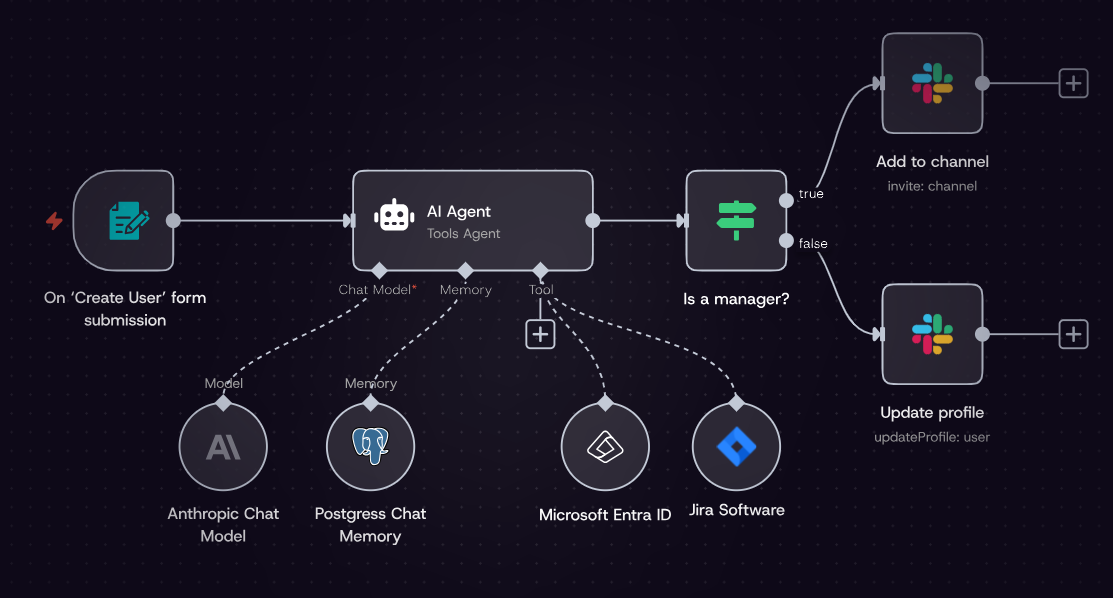
With out getting too far into the challenge I needed to solve, let me just say that there are several n8n cloud plans available.

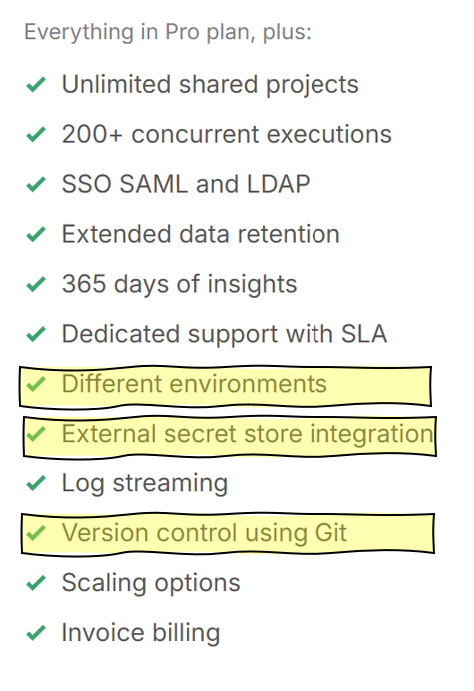
As well as several helpful features that are “Enterprise” only features. Different environments is the specific feature that, for various reasons, was not available to my team, and this is the feature that you definitely want if you’re building workflows.
This is the feature that allows you to treat your workflow differently in production vs non-prod/development. This is incredibly important and frustrating when it’s not available.
Here’s how our team worked around not having multiple environments available.
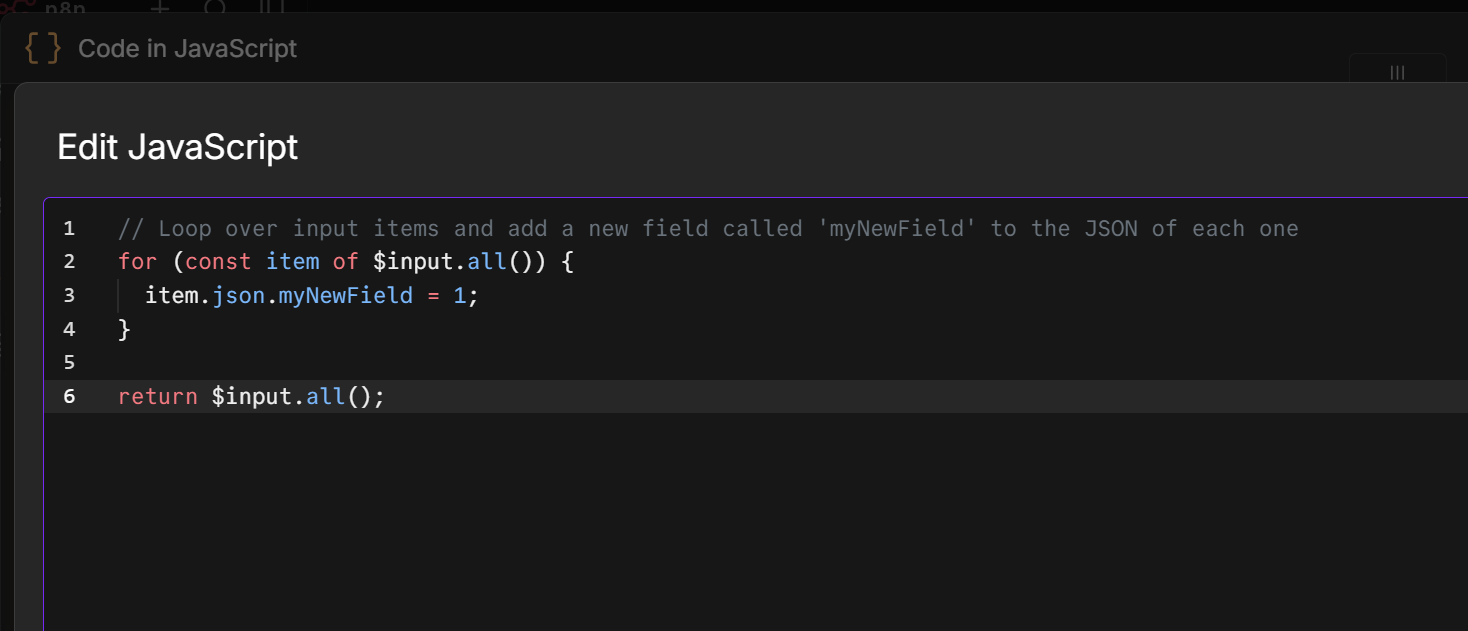
Step 1. Add a JavaScript (or Python) code node as the first node (after your trigger). Below is the default JavaScript module, you can replace the default code with the code in Step 2.
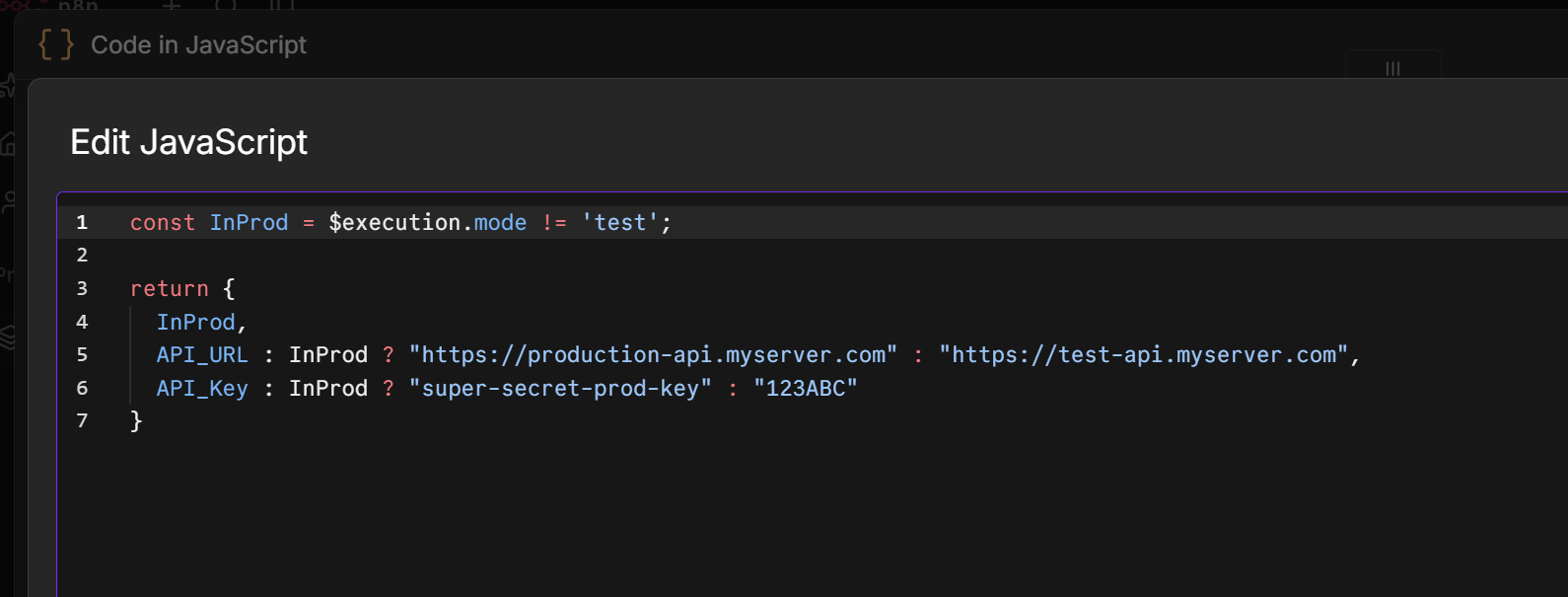
Step 2. This is the MOST IMPORTANT step! Declare a variable and check your workflow’s execution mode.
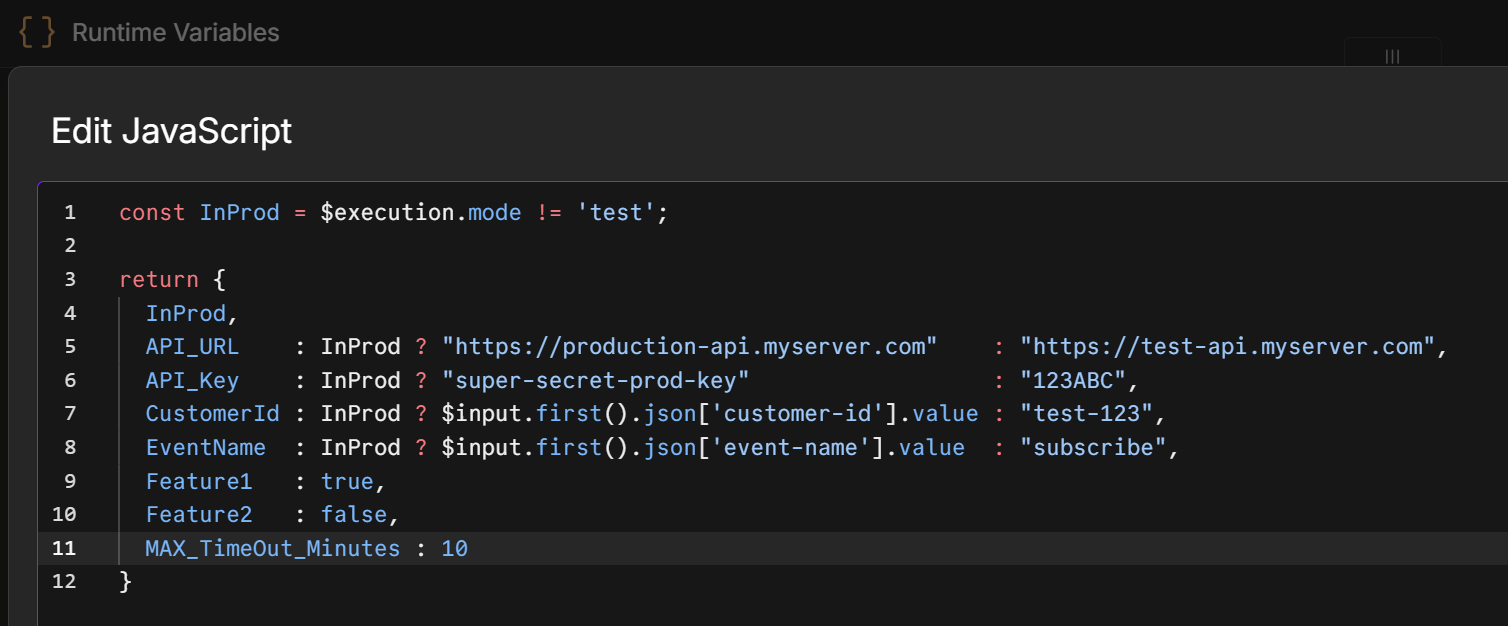
In Code, this ends up looking like
const InProd = $execution.mode != 'test';This is the heart of everything you’re doing to make this work. In n8n, whenever you run a workflow from the editor, it is technically in ‘test’ mode. This allows you to make runtime decisions, and more importantly, assign variable values based on the runtime mode.
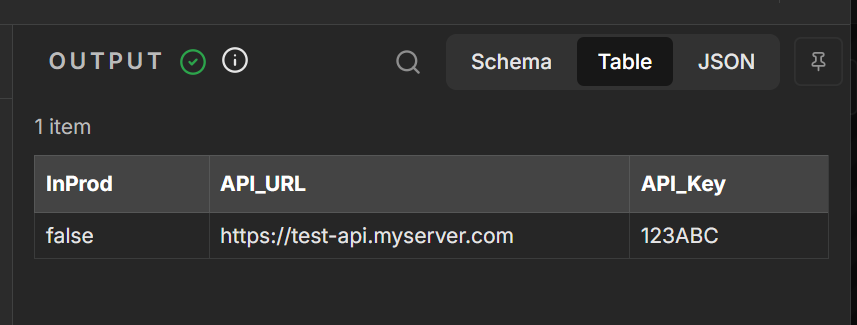
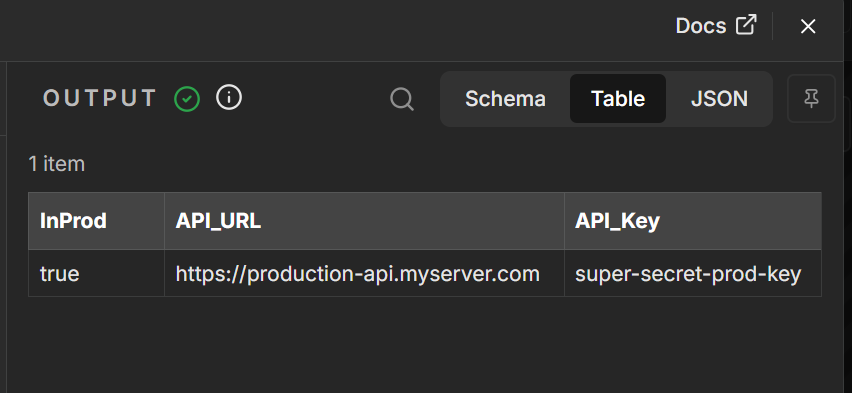
Then, you’re going to return a collection of variables. By returning this JSON object, you’re making the collection of variables available to the rest of your workflow.
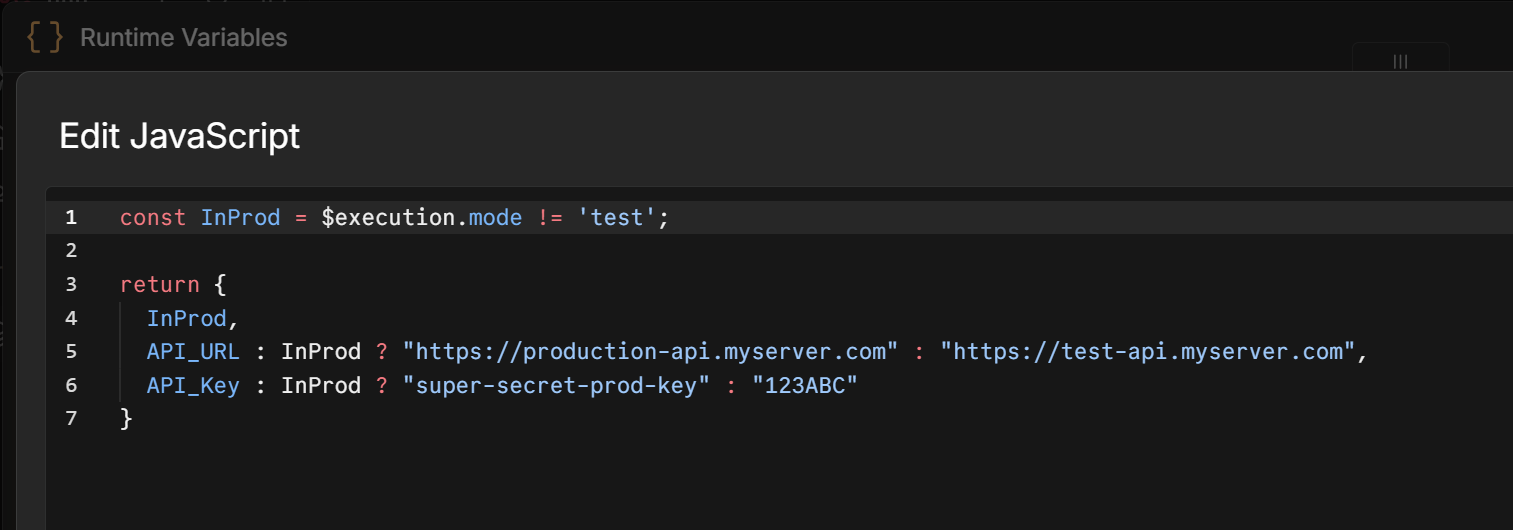
Note: Remember to give your code node a meaningful name! (people always forget this part with n8n). We end up calling it something helpful like “Runtime Variables” this allows you to pull these values later in the workflow. It’s helpful if your team is consistent with this practice – it makes knowing where to look in the future easier and helps people see right away the patterns that you’re implementing with your workflow.
Simplify Your Code
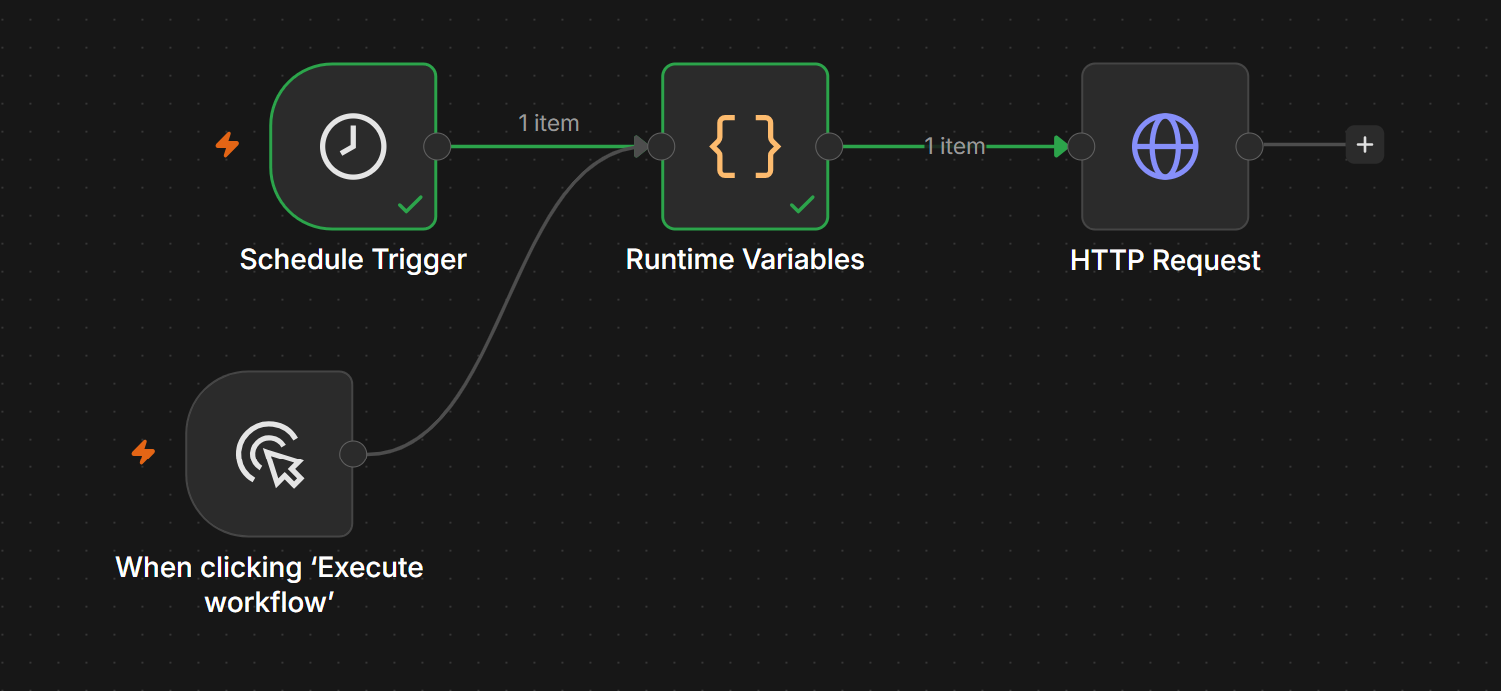
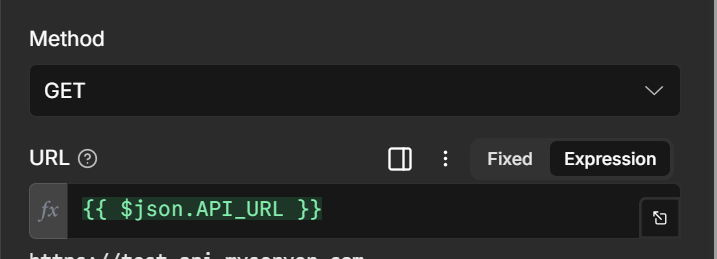
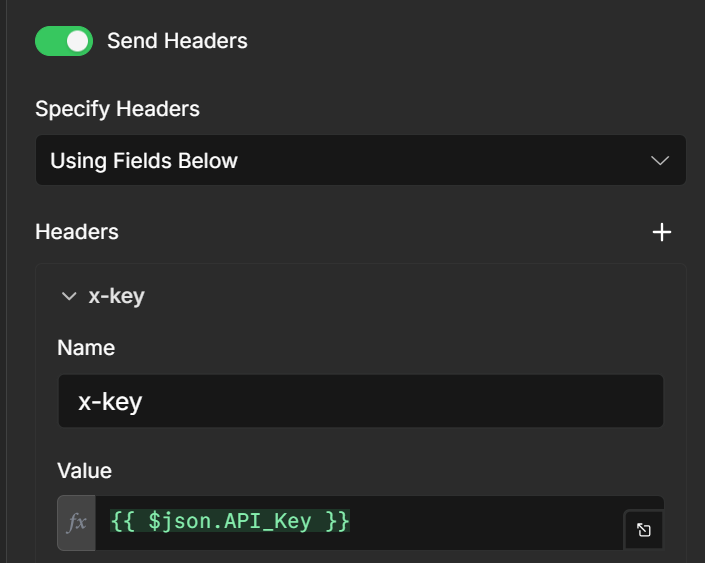
Step 3. Reference all input and other variables from your Runtime Variables node. Now, in any node past this Runtime Variables node, you no longer need to know if you’re in test or production. Just reference the variables you need in your node, and you always get the correct one. No more swapping out variables or references for prod vs test.
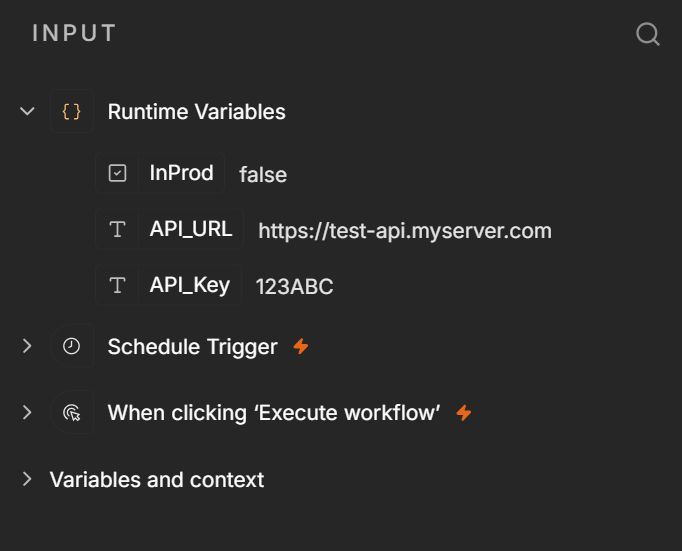
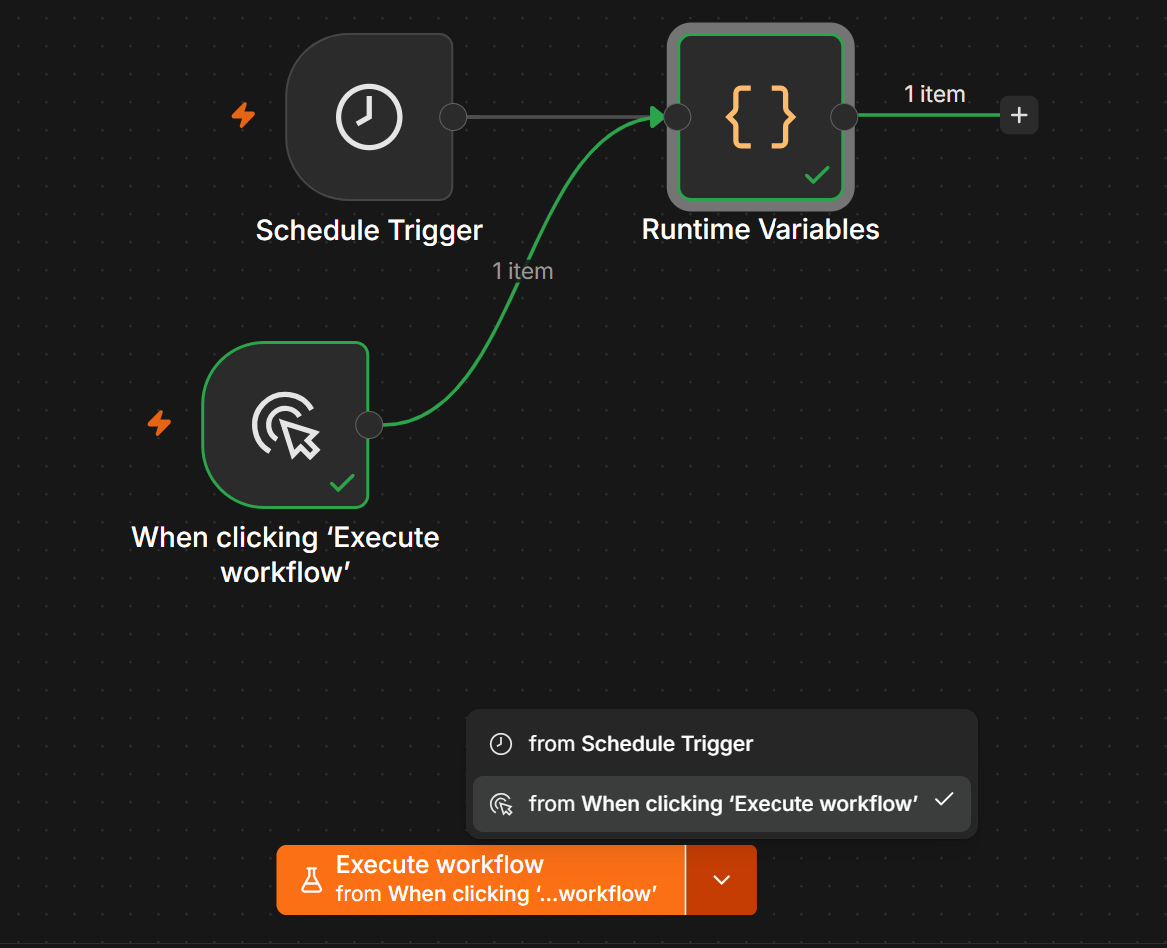
Making your workflow more testable
You want this to be your first node, directly after your workflow trigger. There are often variables that come through your trigger that you will want to leverage in your workflow. By referencing those values in your Runtime Variables node, you can very easily swap in your test data during development without needing to change your workflow for various test scenarios.
Note: You just need to make sure you never refer to a trigger value directly, but always through your Runtime Variables node.
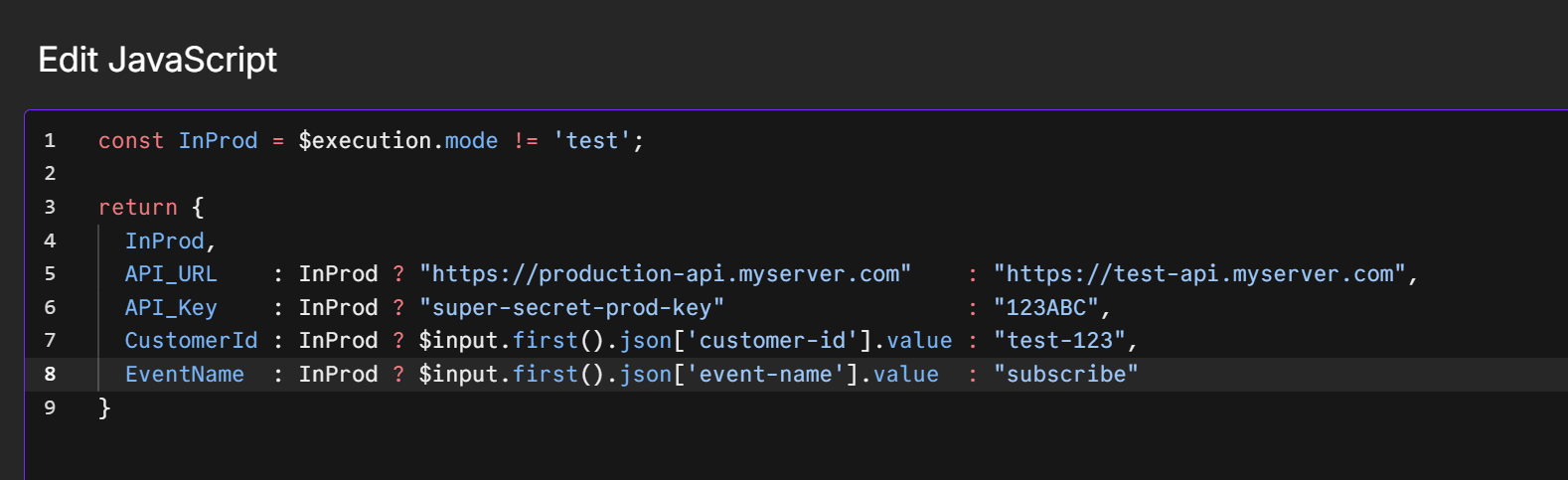
Make sure to include any values from your trigger that you are going to need later in your Runtime Variables node. This will payoff later.
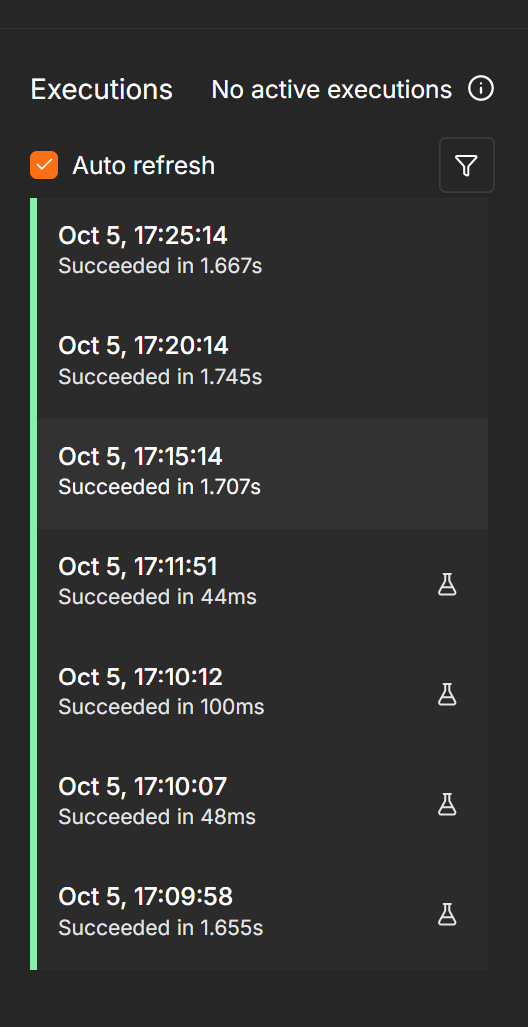
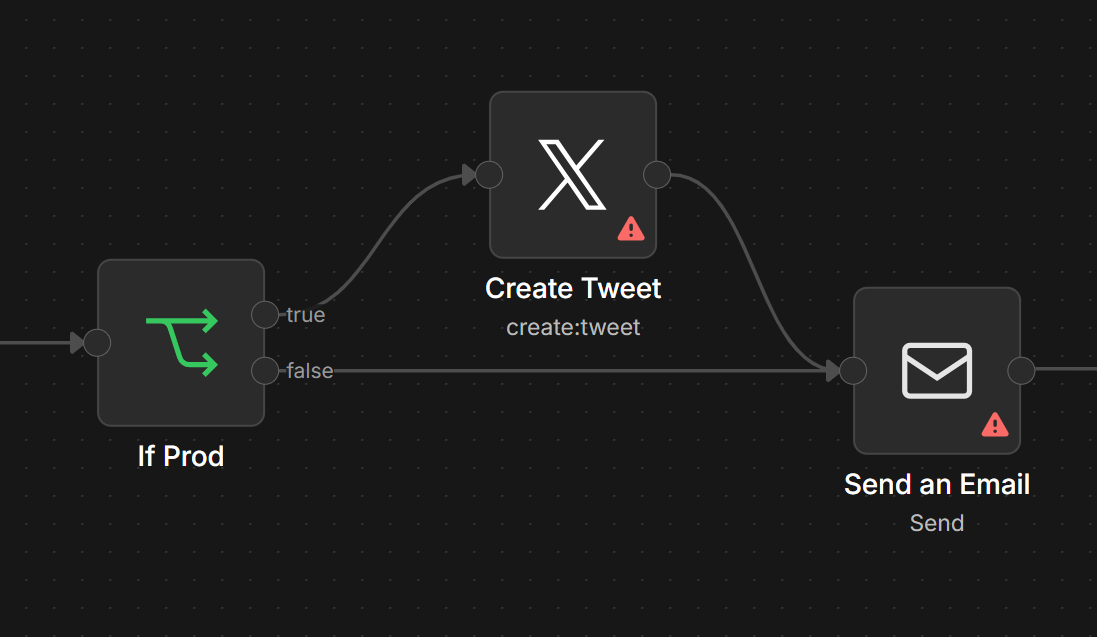
In some cases, you could even have nodes that only run in prod (or only run in test) by leveraging an If node. I don’t like skipping entire sections of a workflow during and so I keep it to a minimum and try to avoid making branches based on “InProd”, but it’s nice to have this as an option when you need it! In general – you want what you run in dev/test to be as close to identical as what you run in Prod as possible.
Notice in the execution list you can see which runs were in test mode (they have the beaker glass on the right side of the execution in the list).
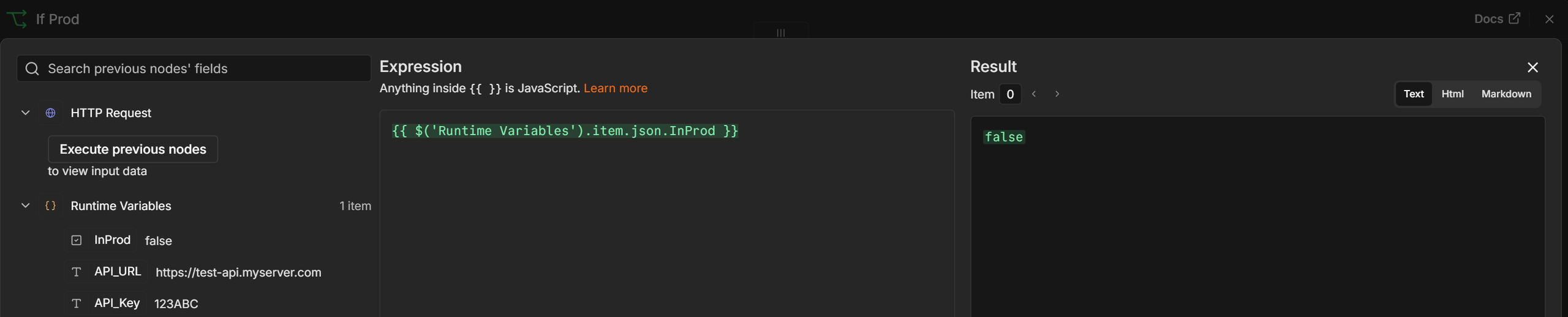
More Maintainable
You can even use this pattern for flags that don’t change between Dev/Prod. Anything that you might want to be able to toggle or adjust across your workflow, but keeping it in one place helps to keep your workflows testable and maintainable.
Extra help working with Webhooks.
When working with a Webhook trigger. You should notice that there is a Test URL and a Production URL.
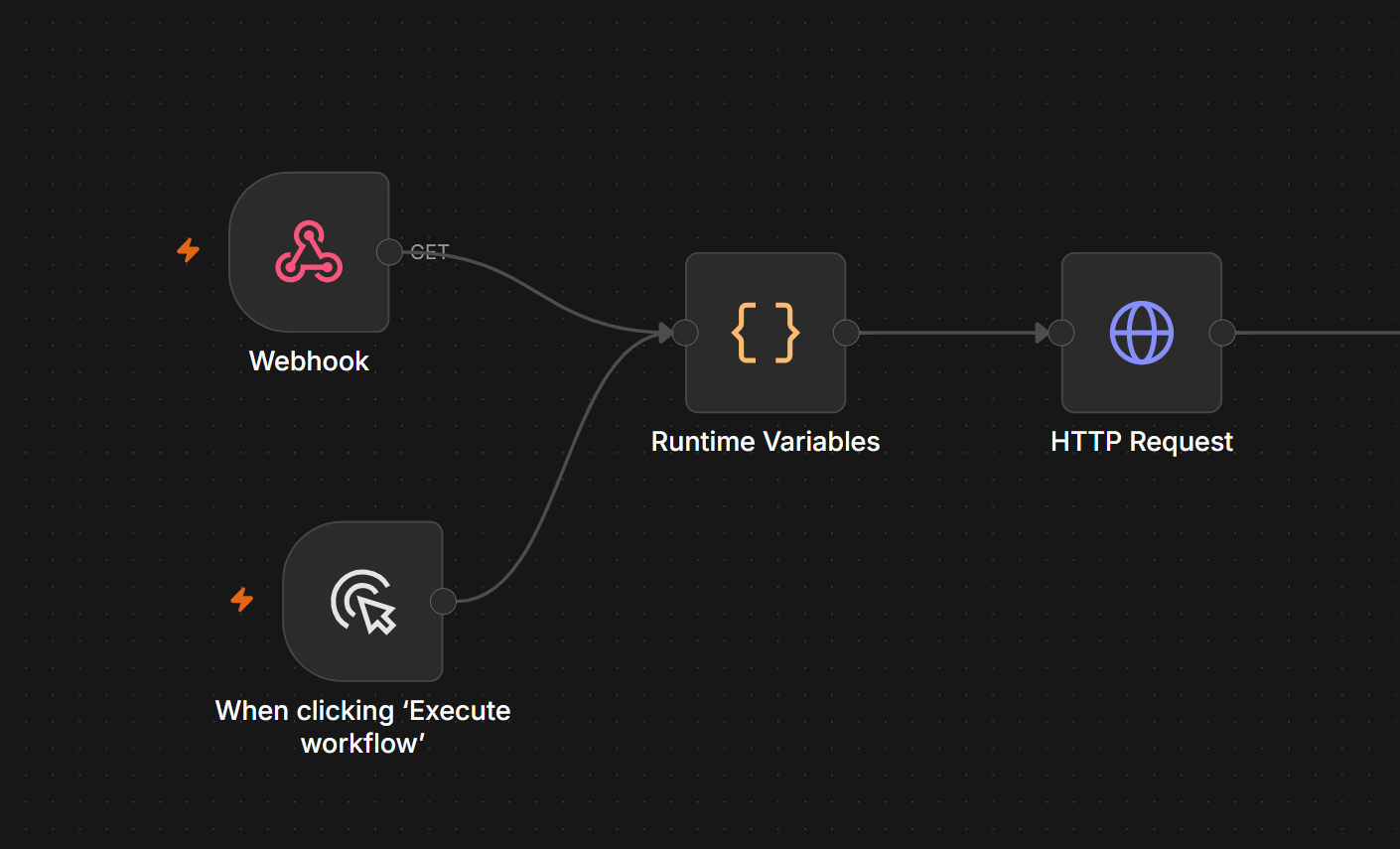
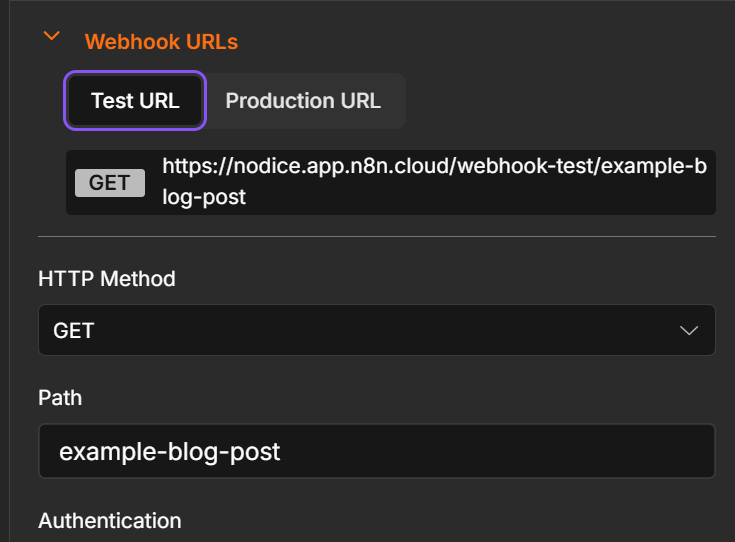
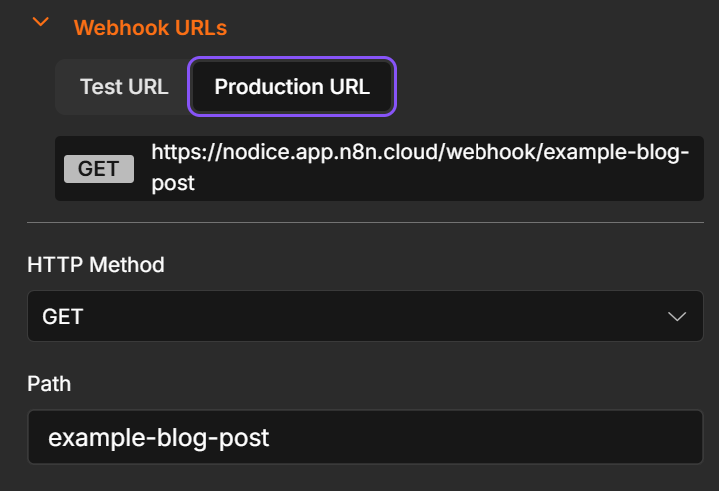
By taking this approach, you’re already set up for success with the built-in test URL. Any request coming in through the test URL will automatically run the workflow with $execution.mode set to ‘test`.
Hope that helps! I spent 5 weeks looking for this feature. I explained to my team and a group of outside experts that we had hired that certainly there was a way to do this and everything we looked up told us to use environments. Hopefully this workaround will be helpful for you as well!
Happy Coding.
Did you find this helpful? What are your tips and tricks when building workflows? Join the conversation on LinkedIn.